



Furniture making can range from bespoke, custom pieces crafted by woodworkers to mass-produced items brought to market by manufacturers. But whether you're a hobbyist or a professional, and even if you start your project with nothing more than a pencil sketch, chances are you use some sort of furniture design software in your process.
Computer-aided design (CAD) software makes the process of furniture design simpler by allowing you to modify your design, visualize it using different materials, and generate helpful materials like cut lists and 2D drawings. Solutions can vary from quick-sketch tools that get concepts into 3D in minutes, to full parametric CAD systems that track every dimension.
We've put together a list of the top furniture design software for you to try, along with tips on what to look for when choosing a program that fits your specific needs and workflow.
What is furniture design software?
Furniture design software helps you turn rough, hand-drawn ideas into precise 3D models you can actually build — or hand off to a CNC router.
It spans traditional CAD tools like Autodesk Fusion and SolidWorks, accessible quick-modeling apps like Shapr3D and SketchUp, and specialized woodworking programs like SketchList 3D that focus on cut list generation. Which one fits your workflow depends on whether you're shaping organic sculptural forms, building production-ready components, or sketching fast concepts.
We evaluated some of the most popular furniture design software on the market today and shared our top picks for 2026, based on the following criteria:
- Range of tools and functionality
- Ease of adoption
- Tool usage
- Multiplatform experience
- Value for the cost
Find the right fit for your furniture making needs below.
Furniture design software comparison
The table below compares the best software for furniture design based on use case, features, platforms, and pricing.
Best furniture design software options
Shapr3D for intuitive parametric and push-pull modeling
G2 rating: 4.8/5 stars
Best for: Intuitive parametric and push-pull modeling
Pricing: Free Basic plan, paid plans start at $299/year*
Key features: Parametric modeling, push-pull modeling, 2D drawings, native iPad app, adaptive UI, visualization
Pros: Ease of use, direct and history-based parametric modeling capabilities, intuitive sketching with iPad and Apple Pencil
Cons: Free plan limits export options and visualization tools
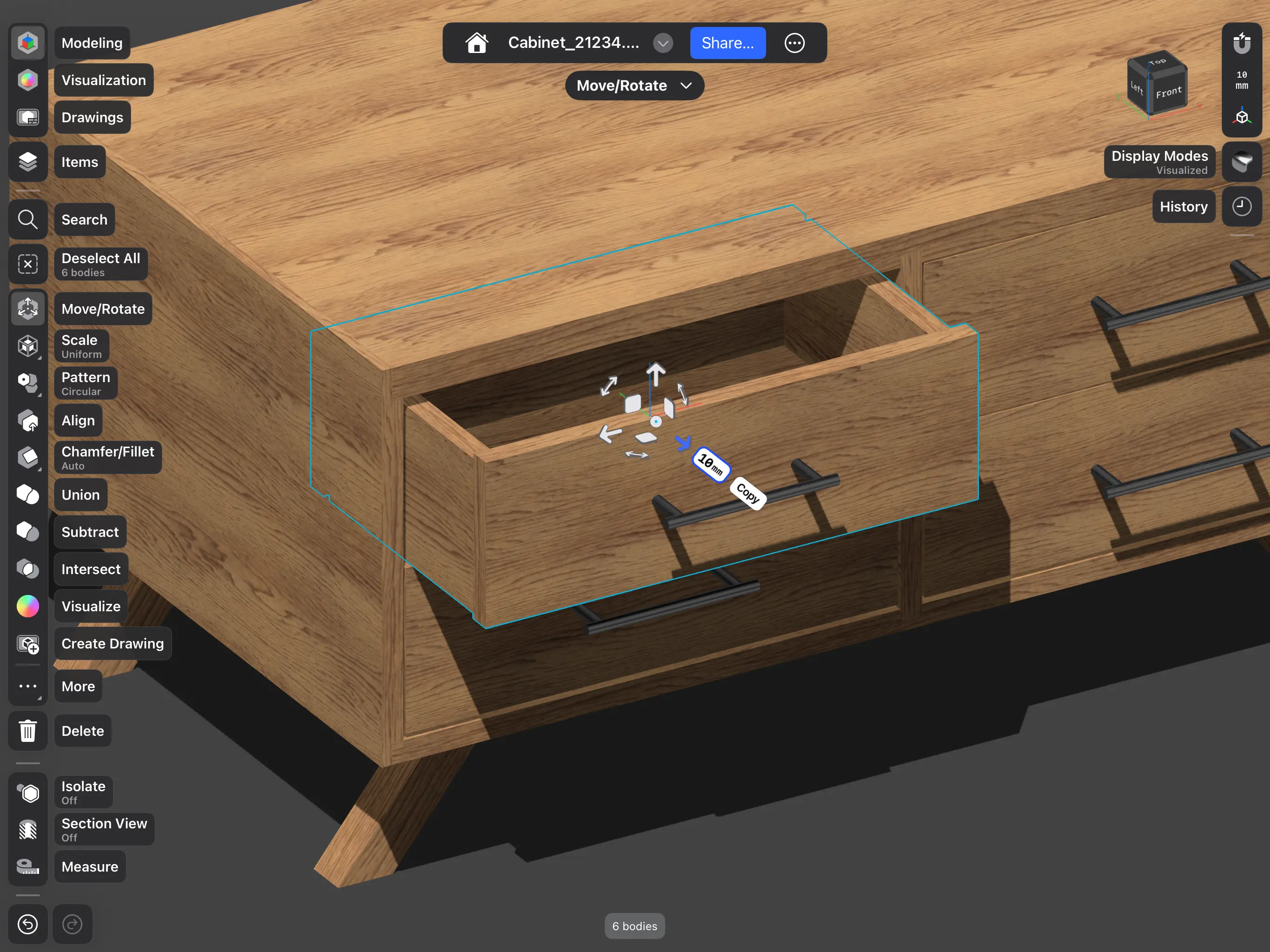
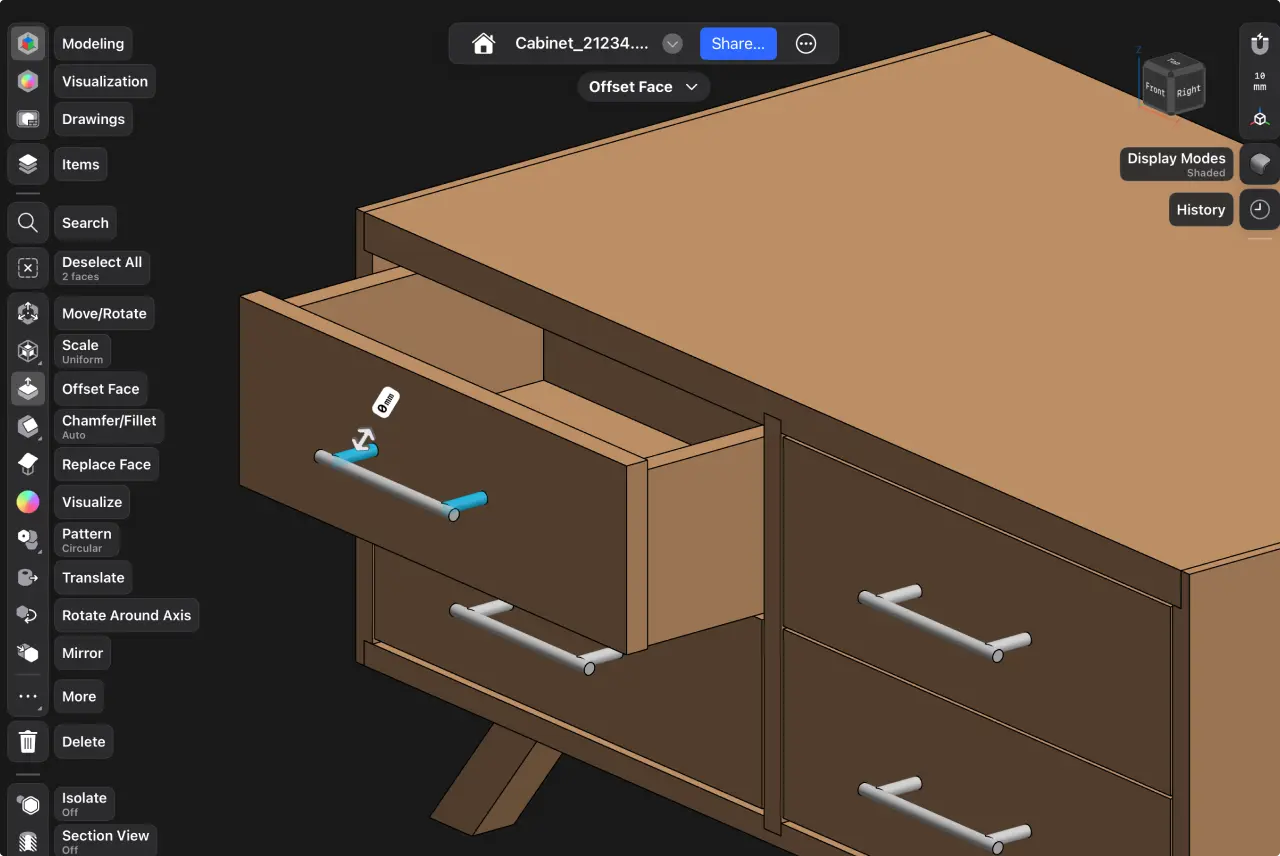
Shapr3D is a great choice for woodworkers and furniture designers because of its direct and parametric modeling capabilities. Select and move faces and edges using push-pull modeling to shape your design, or use a history-based parametric approach, which automatically updates your model when you change parameters like height or width. Use visualization tools to add materials to your model, and generate renders with AI to see your model in the context of a specific environment.
If you prefer an experience that's similar to pen and paper, download Shapr3D on your iPad. You can use an Apple Pencil to sketch your idea and quickly transform it into a 3D model. Shapr3D is also available on Mac and Windows, giving you options when it comes to your preferred platform.
If you're new to CAD, Shapr3D's adaptive user interface (UI) auto-suggests your next tool. The intuitive, beginner-friendly experience will have you modeling in no time, and there are lots of tutorials to get you started.
Autodesk Fusion (formerly Fusion 360) for CNC preparation
G2 rating: 4.5/5 stars
Best for: CNC preparation
Pricing: Free plan (personal use), paid plans start at $680/year*
Key features: CAD/CAM integration, parametric modeling, cloud collaboration, 2D drawings
Pros: Full engineering workflows, robust feature set
Cons: Steep learning curve
Hobbyists and professionals alike might use a CNC router, a computer-controlled machine, to cut and shape pieces for furniture making. If you prefer incorporating a CNC router into your process, Autodesk Fusion may be a good program for you. It's a CAD software with built-in CAM (computer-aided manufacturing) capabilities, meaning you can go from design to CNC toolpaths without switching applications.
The learning curve is slightly higher than programs that are known for their ease of use, like Shapr3D or SketchUp, so those who don't need to use the integrated CAM tools might want to look for something simpler with a pared down feature set.
SketchUp for quick concepts
G2 rating: 4.5/5 stars
Best for: Quick concepts
Pricing: Free plan (limited functionality), Paid plans start at $129/year*
Key features: Push-pull modeling, simple UI, 2D drawings
Pros: Ease of use, quick modeling, easy to get started, plugins available
Cons: No parametric modeling, difficulty exporting files for CNC milling
SketchUp is one of the fastest ways to get a furniture concept into 3D. The push-pull interface makes sense almost immediately, and a free browser-based version means you can get started quickly. It's great for visualizing ideas and iterating on concepts quickly. However, SketchUp is not a parametric modeler, so changing one component won't update the rest of your model automatically.
For production work, you'll likely add plugins to generate cut lists or export manufacturing files. Users have also reported difficulty with exporting files for CNC milling.
Woodwork for Inventor for professional furniture design
G2 rating: 4.5/5 stars
Best for: Professional furniture design
Pricing: Requires Autodesk Inventor, starting at $2,585/year; Woodwork for Inventor licensing cost available upon request
Key features: Customizable reports, BOM generation, 2D drawings, CAM integrations
Pros: Automatic generation of BOM, cut lists, parts lists
Cons: Requires Autodesk Inventor and separate licensing fee
Woodwork for Inventor is ideal for professionals who design complex furniture with multiple parts. It allows you to quickly design 3D furniture models, create material records, and assign materials to furniture details. You can automatically generate a bill of materials (BOM) and other customizable reports. It also has sophisticated CAM integrations for CNC applications. If you need multiple CNC cut files for production or a parts list for procurement, Woodwork for Inventor can help.
Woodwork for Inventor isn't a standalone app — it requires Autodesk Inventor, which has a high price tag for hobbyists and small shops, plus its own licensing cost. But for professional builders, its reports and drawings can't be beat.
SOLIDWORKS for manufacturing-ready models
G2 rating: 4.4/5 stars
Best for: Manufacturing-ready models
Pricing: Makers plan (personal use) starting at $48/year, Business plans starting at $2,820/year*
Key features: Parametric modeling, CAD/CAM integration, cloud collaboration
Pros: Parametric modeling, 2D drawings, CNC cut lists, bill of materials
Cons: High price tag, steep learning curve, downloadable version limited to Windows OS
SOLIDWORKS is a great choice for detailed, production-focused furniture design. Its parametric modeling excels at parts that require precise, repeatable changes—think modular office systems or contract furniture lines. Plugins like WoodExpert add specialized automation for joinery and material optimization.
If you're familiar with CAD and want a broad feature set, this is a robust solution that is considered a standard for mechanical engineering and product development.
Rhinoceros 3D (Rhino) for curves and ergonomic shapes
G2 rating: 4.4/5 stars
Best for: Curves and ergonomic shapes
Pricing: Free trial, Commercial plans start at $995* for a perpetual license
Key features: Freeform 3D modeling tools, NURBS surfacing, Grasshopper integration for parametric design
Pros: Excels at organic shapes, models highly suited for generating CNC toolpaths and 3D printing files
Cons: Limited/weak 2D drawing, steep learning curve, high upfront cost
Rhino shines when you're designing curved, sculptural, or freeform furniture that parametric tools struggle to handle. Its NURBS-based modeling creates smooth, precise surfaces that translate well to CNC milling or hand fabrication. Furniture makers rely on Rhino for one-of-a-kind pieces where organic form matters more than parametric flexibility.
SketchList 3D for cut lists and production planning
G2 rating: 4.3/5 stars
Best for: Cut lists and production planning
Pricing: Paid plans start at $450/year for a two-year plan
Key features: Generation of cut lists, layouts, spreadsheets, drawings, and reports, shop drawings
Pros: Automatic cut list generation, part list generator, material optimizer
Cons: Not as effective for complex or organic designs
SketchList 3D was built specifically for woodworkers who want cut lists and material reports alongside their 3D models. You design the piece, and the software automatically calculates every part, dimension, and board foot. It's less powerful for complex geometry, but a top contender for cabinet and casework production planning.
You can model everything from home and offices to cabinets, beds, and drawers, and SketchList 3D automatically generates layouts, spreadsheets, drawings, cut lists, and other reports.
Blender for visualizing concepts
G2 rating: 4.6/5 stars
Best for: Visualizing concepts
Pricing: Free
Key features: Visualization, 3D modeling
Pros: Strong community support, high-quality renderings, organic modeling
Cons: Lack of precision tools, lack of parametric workflow, steep learning curve, mesh-based software requires conversion
Blender is a free, open-source option that is well known in the video game and 3D animation industry, but it can also be used to build furniture models. It excels in photorealistic visualization and organic modeling for portfolio renders and client presentations.
However, it won't generate cut lists or export manufacturing files directly, and models built in Blender lack the precision you might find in traditional CAD software. Keep in mind that a mesh-based software like Blender requires conversion into solid-body CAD for manufacturing processes. This means that you’ll need to convert your Blender file into a format like STEP before you can create engineering drawings, get parts cut on a CNC machine, or work with a third-party manufacturer.
One of Blender's main strengths as an open-source software is a robust community. Users with questions can visit one of several online forums to learn or find resources from other Blender enthusiasts.
Vectorworks Architect for interior spaces
G2 rating: 4.3/5 stars
Best for: Interior spaces
Pricing: Paid plans start at $1,530/year for Vectorworks Architect
Key features: Custom cabinet tool, 3D rendering, BIM tools
Pros: All-in-one BIM workflow
Cons: High cost
Vectorworks Architect provides 2D drafting and 3D CAD software for Mac and Windows users. It lets you sketch, draw, and model in an integrated BIM workflow. It can be used during the entire creative process, from the concept stage to sketching and designing.
Where Vectorworks Architect shines is in designing entire interior spaces. It has a custom cabinet tool that allows you to design and place cabinets within a space, and 3D rendering brings your vision of a room to life. It also has a full suite of BIM (building industry management) tools to help you with planning every aspect of a building. If this is more than what you're looking for, check out Vectorworks Fundamentals, a plan that offers more basic CAD capabilities.
What features should I look for in furniture design software?
Shopping for software can be overwhelming. Here are a few common features used in furniture design — consider which ones are must-haves for your workflow, and what you can do without:
Parametric and direct modeling
Parametric modeling stores your design as a sequence of dimension-driven steps, so changing one measurement updates everything that depends on it. It's best for production pieces that require repeatable, dimension-driven changes across multiple variants.
Direct modeling lets you push and pull geometry freely without worrying about feature history. It's best for quick custom modifications and early-stage exploration where flexibility matters more than revision history.
Many furniture makers benefit from both approaches, and some tools, like Shapr3D, combine them in a single environment.
Automated cut list generation
A cut list calculates every part, dimension, and quantity required to build your design. This feature alone saves hours of manual calculation and reduces material waste. This makes it a valuable tool for professionals, but if your designs are fairly simple, you might not need it.
Joint and assembly tools
Good furniture software can model mortise-and-tenon joints, dovetails, dowels, and hardware connections. Validating that parts fit together correctly in the digital model prevents costly mistakes once you start cutting real material.
CNC and manufacturing file export
The ability to export DXF, STEP, or G-code files connects your design software to CNC routers, laser cutters, and other fabrication equipment. Without clean export options, you'll spend extra time recreating geometry in separate CAM software.
Platform compatibility
Some software is browser-based, requiring an internet connection, while others run on Mac, Windows, iPad, or all of the above. If you prefer a more flexible approach to design, look for multi-platform capabilities, which gives you flexibility to pull up your design in the studio, at a client meeting, or on the shop floor.
Realistic rendering
Physically based rendering (PBR) shows clients exactly how a piece will look with specific wood types and finishes. This speeds up approval cycles and reduces the back-and-forth that comes from clients struggling to visualize flat drawings.
AR previews
Augmented reality places a full-scale virtual model of your furniture into a real room through your phone or tablet camera. Clients can see exactly how a dining table fits their space before you cut a single board.

How do I choose the right furniture design software for my needs?
Furniture design software caters to a range of users, from DIYers making personal projects, to entrepreneurs creating custom pieces, to small- and medium-sized workshops. Here are some additional factors to keep in mind when looking for a software to fit your needs:
Use case fit
Before purchasing furniture design software for your PC or iPad, ask yourself what you’ll need this software for. For instance, some software focuses exclusively on office furniture design, house interior design, or landscape planning.
A simple side table might require CAD that excels at quick modeling, while a production run of kitchen cabinets calls for parametric tools with cut list automation. Sculptural, organic pieces often require a direct modeling approach.
Ease of use
Some tools are easy to pick up within hours, while others require weeks of dedicated practice before you're comfortable. If you want results quickly, factor learning time into your decision. You can also consider whether your tool of choice has resources available, like easy-to-follow guides, tutorials, and a help desk for self-learning.
Cost and value
Some tools charge monthly subscriptions, others offer perpetual licenses, and a few provide free tiers with limitations. Educational licenses are available from most vendors if you're a student or teacher learning furniture design.
Try to find a few options with free trials so you can test the software, understand if it serves your needs, and make a conscious decision before purchasing it.
Start modeling with Shapr3D
The best furniture design software depends on your project type, production workflow, and preferred devices. The good news is that most professional tools offer free trials, so you can test before committing.
Ready to see how fast you can go from idea to 3D model? Download Shapr3D to test it out and see if it fits your furniture design workflow.
FAQ
What file formats do I need for CNC routers or 3D printing, and do these programs support them?
G-code is the machine-readable format most CNC routers and 3D printers require. These are usually generated through integrated or separate CAM software for CNC, or a slicer like Bambu Studio or PrusaSlicer.
If you need to export your model for CNC milling, STEP and IGES are the most common file formats. For 3D printing, STL, OBJ, or 3MF are preferred.
Is there free furniture design software available?
Blender is a completely free option for furniture design software, while other apps like Shapr3D, Autodesk Fusion, and SketchUp have free plans with a limited feature set. Most options we looked at offer a free trial period where you can test the software for a limited time before purchasing a license.
Can I visualize my furniture designs in 3D or augmented reality before building?
Certain programs like Shapr3D or SketchUp allow you to use augmented reality (AR) to overlay your 3D furniture model in the actual space it will live in. This helps you visualize whether a piece will fit in your room and match with your current layout.
Can furniture design software generate cut lists and material reports automatically?
Yes, specialized woodworking tools like SketchList 3D produce cut lists directly from your model. General CAD tools typically require plugins or manual extraction to generate material reports.
Which furniture design software is best for beginners?
The best furniture design software for beginners is one that's easy and intuitive to use, with features like direct (push-pull) modeling that allow you to grab faces and edges to shape your model, and an intuitive UI to guide your design process rather than cluttering your screen with feature buttons. Shapr3D and SketchUp are often praised for their ease of use.