
We sat down with 3D printing expert Travis Lathrop, founder of the Shop Nation online store and YouTube channel for makers of all types, to learn about what beginners should look for when buying a 3D printer. There are several factors to consider, including:
- Cost
- Reliability
- User-friendliness
- Features
- Software ecosystem
- Customer service
- User reviews
- Size and space requirements
But before we dive into all that, we’ll walk you through some of the basics of 3D printers, including the two most common types of 3D printer architecture you’re likely to come across.
FDM printer vs. resin printer
As we’ve discussed in our beginner’s guide, the two most common and accessible methods for 3D printing are:
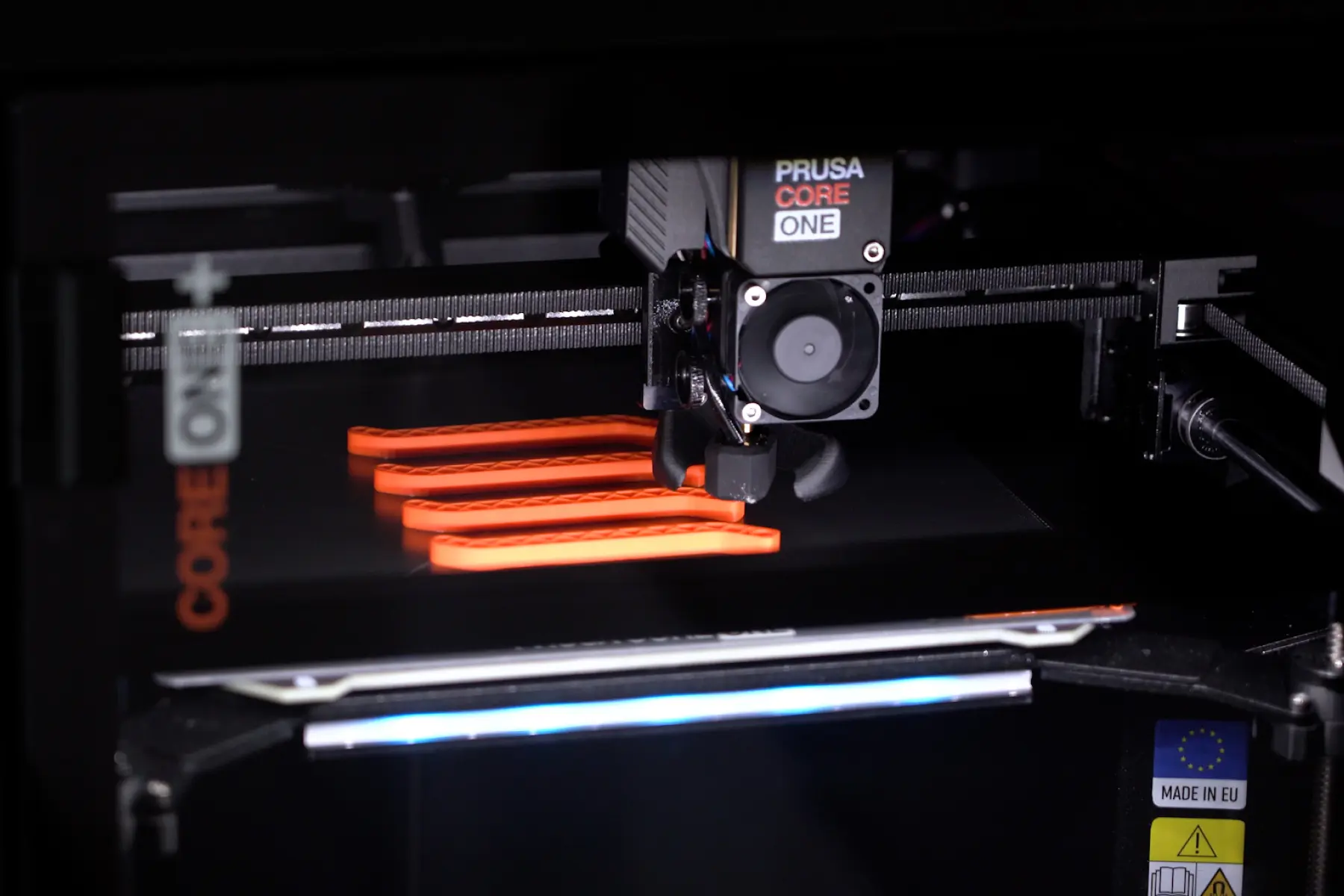
Fused deposition modeling (FDM) 3D printing. You’ve probably seen these printers in action in real life or videos. They work by laying down thin layers of thermoplastic filament to create a 3D object. The nozzle moves to exact coordinates determined by your slicer software to extrude filament in the right spots.
Resin 3D printing. It uses a light source from a laser or light projector to cure or harden thin layers of liquid resin one layer at a time. After printing, the object needs to be submerged in alcohol to remove excess resin, and cured under a UV light to harden it completely. It’s also known as SLA (stereolithography), DLP (digital light processing), or MSLA (masked stereolithography) 3D printing, depending on the process. Resin is toxic and produces toxic fumes, so ventilation and protective equipment like gloves and goggles are required.
This particular article focuses on FDM 3D printers, because they’re more beginner-friendly and popular among home users. Within this category, you’ll find different printer types, which we’ll talk about in the next section.
3D printer architecture: Bed slinger vs. CoreXY
You may notice that some FDM 3D printers have a bed that moves up and down, while others have a bed that moves front to back. The differences between the two affect how they look, perform, and how much they cost.
Bed slinger printer
A bed slinger printer has a nozzle that moves along the X axis (left to right, if you’re looking straight at it) and Z axis (up and down). The bed moves along the Y axis (toward and away from you). Most open-frame printers are of the bed slinger type, because the bed needs space to move back and forth.
This architecture, popularized by printer company Prusa, has been around longer than the CoreXY system, but that doesn’t make it dated. Many people, especially beginners, prefer bed slingers because of their simple, proven mechanics and low price point.
“If you’re looking to start, a smaller, simple bed slinger design is a lot cheaper and easier to use,” Travis says.
CoreXY
CoreXY printers work by moving the printer bed up and down along the Z axis. The nozzle moves along the X and Y axes (left to right, front to back). It uses a system of fixed motors, belts, and pulleys to move the nozzles, all of which need to be perfectly aligned to work.
Because the printer bed doesn’t need space to move, many CoreXY printers have enclosed walls. This allows it to maintain more consistent temperatures (and also keeps prints safe from their surrounding environment).
Bed slinger vs CoreXY comparison
The first decision you’re likely to make about your 3D printer purchase is whether to get a bed slinger or CoreXY model. Here’s a quick comparison of the two:
If any one of these factors are dealbreakers for you, it might make your decision a little easier. Otherwise, it comes down to weighing the pros and cons of each system for your own specific needs.
Factors and features to look for: Travis’s top picks
If you’re just getting into 3D printing as a hobby, it’s easy to get excited by all the bells and whistles that come with some printers. But Travis says that the most important things to look for aren’t the number of features, the ability to print with exotic filaments, or printer speed. It’s these five factors:
Reliability and consistency
“The No. 1 rule of buying a 3D printer is that you want the thing to work,” Travis says. It should reliably and consistently be able to produce quality prints the way you want them to look, without much tinkering or effort on your part.
A great way to assess reliability is to look at reviews from users like yourself. “I rely on YouTube a lot,” Travis says. “There are trusted names in the 3D print community where if they post a review about a product, I trust what they’re saying.”
Your local maker space or fab lab is another valuable place to source reviews. You’ll find knowledgeable makers with experience using a lot of different types of 3D printers, and they should be able to speak to how each machine performs over time.
User-friendliness
It’s easy to overlook user-friendliness when shopping, but it could mean the difference between sticking with a new hobby or having your printer turn into a dust-collector in six months.
“There’s a very narrow population that wants to tinker with a printer,” Travis says. “The rest of us just want to print stuff.”
Look for printers that come pre-assembled, have a large touch screen, and easy-to-use software (more on that below). These will give beginners the best out-of-the-box experience, allowing you to gain confidence as you get more successful prints under your belt.
Software ecosystem
For those just starting out on their 3D printing journey, Travis is a big advocate of picking an ecosystem. That means getting your printer, slicer software, and even filament from one company.
Brands like Prusa, Bambu, and Creality have a strong ecosystem where everything is designed and optimized to work together.
“Having a cohesive environment with the printer and software means everything works and talks to each other. You don’t have to worry whether or not something is compatible,” Travis says.
Auto bed leveling
Today’s 3D printers have automation technology that makes them easy for anyone to use. Auto bed leveling uses sensors to map your printer bed and makes adjustments to account for any minor differences in height. It takes away the tedious process of manually leveling the bed so all you have to do is press print. According to Travis, this feature is fairly common among new printers, and a must-have for beginners.
Spaghetti detection
Failed prints can happen to anyone, but they’re especially common if you’re just starting out. Some printers have what’s called spaghetti detection, which uses built-in cameras to monitor prints in progress. AI technology senses when a print goes wrong and starts to spew “spaghetti” strands of filament everywhere. The printer automatically stops, so you don’t waste more filament than you have to.
Customer support
Don’t underestimate the importance of after-sale support. Travis cautions against purchasing from companies that are brand new, because they may not have the support infrastructure in place to help you troubleshoot or replace parts.
Established brands have a track record of support, an extensive knowledge base or wiki like Prusa or Bambu Labs, and a large community of users that you can tap into, which is extremely helpful if you’re just starting out.
Nice-to-have (but not necessary) features
The following features aren’t essential for most beginners, but you may want to look for them if you’re investing in a printer you can grow into.
Printer enclosure
Many CoreXY printers are enclosed in a cube, usually with three solid walls and one plexiglass door that allows you to see what the printer is doing.
The enclosure allows the printer to maintain a more consistent temperature, which is especially important when using filaments that require a controlled environmental temperature, like nylon or ABS.
Even if you don’t plan on using these specialized materials, you may want the protection that an enclosure provides.
Ask yourself this:
- Do I have small kids or pets who may touch or interfere with the printer in action?
- Do I have environmental factors that may interfere with my print, like floating sawdust or a strong breeze?
- Do I want the option to print with materials that require a higher temperature or emit volatile organic compounds (VOCs)? These include ABS, ASA, and nylon.
If you answered yes to any of these questions, a fully enclosed printer body may be more of a necessity for you. But for many people, it lands on the nice-to-have list.
Multicolor system
Some 3D printer manufacturers have a system that allows you to store and automatically switch between multiple filaments in a single print. It’s worth noting that you can switch filaments manually to create multicolor or multi-material prints on any 3D printer, but these systems (Bambu’s Automatic Material System, for instance) work with your slicer to automate that process. They are designed to reduce waste that comes from switching filaments.
If you have your heart set on multicolor prints, you might want to look at a printer compatible with one of these systems.
Common questions when shopping for a 3D printer
How much should I spend on a 3D printer?
The old saying, “You get what you pay for,” is true in the 3D printing world, too. Travis cautions against defaulting to the cheapest printer you can find, even if you’re a total beginner.
“The absolute cheapest printers are going to have the least amount of support, the least amount of automation, and you’re going to have the toughest time.”
Instead, he recommends the starter models of established printer companies like Prusa and Bambu Lab. This ensures you get the proven reliability, support, and technology of a brand name, even if it doesn’t have all the features of a more expensive model.
“There used to be a much bigger gap between cost and quality. Now, $400 to $500 will get you a reliable printer that’s going to allow you to learn without getting frustrated and burnt out,” Travis says.
Does speed matter for 3D printing?
In a word, no. “Speed isn’t an important factor, especially when you’re just learning. It’s not something you need to look out for,” Travis said.
You may think you want a 3D printer that spits out prints quickly, but pushing your printer to its highest speed almost always comes at the cost of quality. You might find that printed parts are weaker because layers have less time to adhere to each other. Or, vibrations caused by higher printing speeds can lead to faint “echoes” of a sharp edge, as opposed to a smooth, clean finish.
Travis notes that most modern printers use similar technology to cut down on vibrations, allowing them to print more quickly while maintaining quality. Because of this, top printer speeds are generally pretty similar among models.
A final word on filament
“Printers are more or less democratized now. There isn’t a huge difference between printers these days, which is great,” Travis says. “The biggest difference is going to be in the software and the materials you put into it. Don’t buy the cheapest filament, because it will cause issues in a perfectly good 3D printer.”
For more advice, check out Travis’s recommendations for the best 3D printer in 2026 on YouTube.