

Fusion 360 vs Shapr3D:
Which CAD tool is best for you?
See how Shapr3D stacks up against Autodesk Fusion 360 when it comes to user experience, capabilities, and pricing.
What are the main differences between Shapr3D and Fusion 360?
Shapr3D and Autodesk Fusion (formerly known as Fusion 360) are both computer-aided design (CAD) software.
They have many of the same core CAD features and capabilities, including parametric modeling, visualization tools, and cloud collaboration. If you want to choose which one is right for you, you'll need to look at what sets them apart.

Comparing Shapr3D and Autodesk Fusion 360 at a glance
| Shapr3D | Autodesk Fusion 360 | |
|---|---|---|
| Best for | Fast concepting, cross-platform workflows between iPad and desktop, immersive XR collaboration, onsite manufacturing operations | Integrated CAD/CAM/CAE with strong manufacturing toolpaths for desk-based engineering |
| Platforms | Windows, Mac, iPad, Vision Pro | Windows, Mac |
| Modeling approach | Hybrid direct modeling and history-based parametric modeling | Parametric, direct, T-splines, generative |
| Collaboration | Versioning, comments, browser-based review links | Cloud-based sharing and versioning |
| Cloud/on-prem | Local compute; cloud sync (offline access available) | Hybrid cloud with local caching |
| PDM | Cloud PDM included | Cloud PDM included |
| Rendering | Real-time visualization | Integrated rendering tools |
| XR/AR support | Native Vision Pro multi-user XR editing; integrated AR review on iPad | Plugins and other software required; export to .usdz |
| CAM integration | Export STEP, STL, IGES, DXF, 3MF, XT, SVG, and other file types | Fully integrated CAD/CAM toolpaths |
Shapr3D’s ease of use makes it ideal for hobbyists for 3D printing, woodworking, and furniture design. It’s also a great Fusion 360 alternative for professional design teams and small businesses who don’t have a lot of prior experience with or time to learn CAD.
Autodesk Fusion’s strengths make it ideal for more mature small and midsize manufacturing businesses that want an all-in-one ecosystem for product development.
When to use Shapr3D
Quick concepting and simple parts
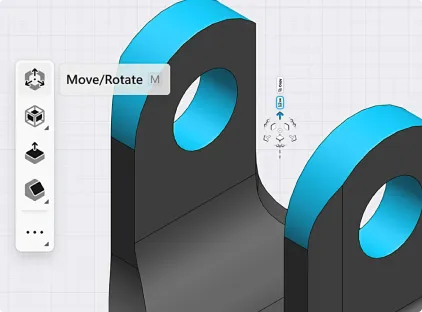
If you want to model a concept or a simple part quickly and easily, reach for Shapr3D. Its robust iPad application allows you to model on the go wherever inspiration strikes, or whip up a missing piece in no time.
Using the Apple Pencil on iPad for push-pull modeling is as fast and intuitive as sketching on a piece of paper.
| Shapr3D | Autodesk Fusion 360 | |
|---|---|---|
| iPad modeling workflow | Yes, optimized for iPad | No, iPad app is primarily for viewing |
| Apple Pencil compatibility | Yes, compatible | Not compatible |
| Push-pull modeling | Yes, available | Yes, available |
| UX/UI | Adaptive user interface surfaces tools needed in the next step for faster modeling | Radial menu provides context for next steps |
| Launch time | App and files open in seconds | Cloud-based architecture can cause a wait time when launching |
Mobile CAD
Whether you're modeling a part that needs to be fitted into equipment on the factory floor, or you want to show your design to a client at an off-site meeting, Shapr3D's mobility is a key feature. You can switch from a desktop running Windows or Mac OS to your iPad and back without issue.
| Shapr3D | Autodesk Fusion 360 | |
|---|---|---|
| iPad functionality | Full modeling functionality, editing, review | Primarily viewing and annotation, limited modeling |
| Multidevice workflow | Yes, make edits between iPad, Windows, Mac | Edits only possible on Windows or Mac (not iPad) |
| Offline capabilities | Yes, all files available offline | Viewing and annotation of open/cached files only |
Ease of use
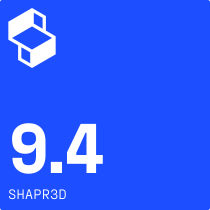
Shapr3D is consistently praised on review sites like G2 for being easy to learn and use, even if you don’t have CAD experience.
Source: G2 ratings

When to use Fusion 360

Full manufacturing workflows
Autodesk Fusion’s CAD/CAM/CAE ecosystem allows you to create 3D models, run simulations, and generate CNC toolpaths from the same file. There's no need to import or export files into a different software, and any design changes made to the model automatically updates associated toolpaths.
Lorem ipsum dolor
| Shapr3D | Autodesk Fusion 360 | |
|---|---|---|
| CAD/CAM/CAE | No built-in integration; manufacturing exports like STEP, DXF, and IGES available | Fully integrated CAD/CAM/CAE |
| Surface modeling | Not available | Yes, available |
| Mesh modeling | Import mesh files; limited editing capabilities | Full mesh handling capabilities |
Complex parametric assemblies
Autodesk Fusion is better at handling large assemblies, making it a stronger fit for models with lots of parametric components.
| Shapr3D | Autodesk Fusion 360 | |
|---|---|---|
| Assembly workspace | Supports static multi-body positioning, but no true assembly environment exists | Full assembly workspace |
| Supports components, joints, mates, motion simulation, part relationships | No, not supported | Yes, supported |
How do the pricing models of Shapr3D and Fusion 360 compare?
Shapr3D and Autodesk Fusion both offer free plans with limited functionality, as well as paid plans that give you access to more features and capabilities.
| Shapr3D Basic | Autodesk Fusion Personal | Shapr3D Pro | Autodesk Fusion | |
|---|---|---|---|---|
| Pricing | Free | Free | $25/month (billed annually at $299) | $57/month (billed annually at $680) |
| Capabilities/ limitations |
|
|
|
|
| Best for | Testing Shapr3D’s capabilities; designs that don’t need to be exported | Hobbyist makers not looking to profit off their creations | Hobbyists; solopreneurs; small shops; design and manufacturing teams within larger companies | Small to midsize manufacturing businesses; design and manufacturing teams within larger companies |