

Every business wants to gain a competitive advantage, whether it’s through being first to market, improving profit margins, or building a reputation based on quality. But striking a balance between speed, cost, and quality is hard, especially when bottlenecks form in the process of bringing a product to market.
Bottlenecks happen for many reasons, but they’re often caused when teams don’t have the information they need to act on something right away. Maybe approvals can’t move forward until the prototype gets built, adding another few weeks to the timeline. Or requests are stuck in a CAD queue, waiting for an overloaded engineering team to get to them.
According to our white paper with research firm Tech-Clarity, poor communication is at the root of a lot of these issues. Below, we dive into the manufacturing challenges discussed in the report, the roadblocks they cause, and how you can work to overcome them.
Top challenges in the manufacturing process
In a Tech-Clarity survey, 62% of businesses identified “manufacturing engineering efficiency” as having the biggest impact on the overall success and profitability of their product.
One of the first steps to improving operational efficiency is identifying where your process is broken so you can fix it. Here’s what respondents said are the biggest manufacturing process challenges they’re facing:
1. Cost and time of physical prototypes
Physical prototypes are expensive — even early mock-ups can range from a few hundred to a few thousand dollars, and final models can cost over $10,000 dollars to produce. They’re also time-consuming to build, and in manufacturing, time is money.
But where these challenges compound is when the design changes and you have to order another prototype, pushing back your time to market and adding to your costs.
2. Poor communication between suppliers and clients
Working with external suppliers or clients can require a little extra effort to communicate effectively. Maybe they use a different CAD software that causes challenges with incompatible files. That can mean taking extra steps to import and verify files in the internal system.
Or their processes for communication live outside your workflows, causing approvals and file versions to get lost in long email threads. A supplier fabricates the wrong version of a part based on an outdated file, or a client’s feedback doesn’t make it into the next design round. All that wastes time and can strain relationships, too.
3. Poor communication between upstream and downstream teams
Bad communication isn’t just an issue with external stakeholders. Internal teams can fall victim to the same issues.
If your organization doesn’t have strong PLM (product lifecycle management) practices in place, teams can end up operating in silos. Different software and processes make the “handoff” between groups messy and time-consuming. Version control gets complicated and downstream teams might be left in the dark on last-minute changes, causing production issues.
4. Missing steps during the planning phase
Another common issue that arises from poor communication involves missing steps during the planning phase. For example, if engineering isn’t consulted until a product concept is in the final stages of approval, they might require a critical design change that undoes weeks of work.
Finding and addressing those gaps in the planning process can help teams work more efficiently instead of investing too much time in a design that ultimately doesn’t work.
5. Clashes in layouts and fixtures before production begins
Designing a production layout in CAD is one thing. When the equipment ends up on the shop floor, it can uncover clashes nobody planned for. For example, the clearance between machines may not have accounted for two people passing back and forth on a busy walkway. Or a handle placed at the wrong angle could be hard for an operator to turn. These issues could impact worker safety or speed, and fixing them might set you back weeks and several thousands of dollars.
The solution: Accessible 3D CAD
If you want to improve communication across the manufacturing process, an accessible 3D CAD solution can clear the bottlenecks where information and teams get stuck.
Tech-Clarity defines accessible 3D CAD as a tool that:
- Opens the 3D environment to a broader range of contributors, so they can directly interact with models and have a shared understanding across teams.
- Has an intuitive design and workflow and a lower learning curve than traditional CAD.
- Allows production planners, quality engineers, project managers, and shop floor teams to use it without extensive training.
- Has multi-device compatibility so you can design and view 3D data on desktops, laptops, and tablets — wherever your work takes you.
Accessible CAD software has lots of benefits in product design and manufacturing, but one of the biggest challenges it can help solve is the issue of poor communication.
How to improve communication and reduce bottlenecks
Accessible 3D CAD tools like Shapr3D allow you to open up 3D data to all teams, not just engineering. From design to production, teams can create and interact with 3D models to communicate information more clearly and work more efficiently as a result.
Here are three areas where it improves communication:
Design reviews
When teams communicate using 2D screenshots and emails, design reviews can become endless feedback loops.
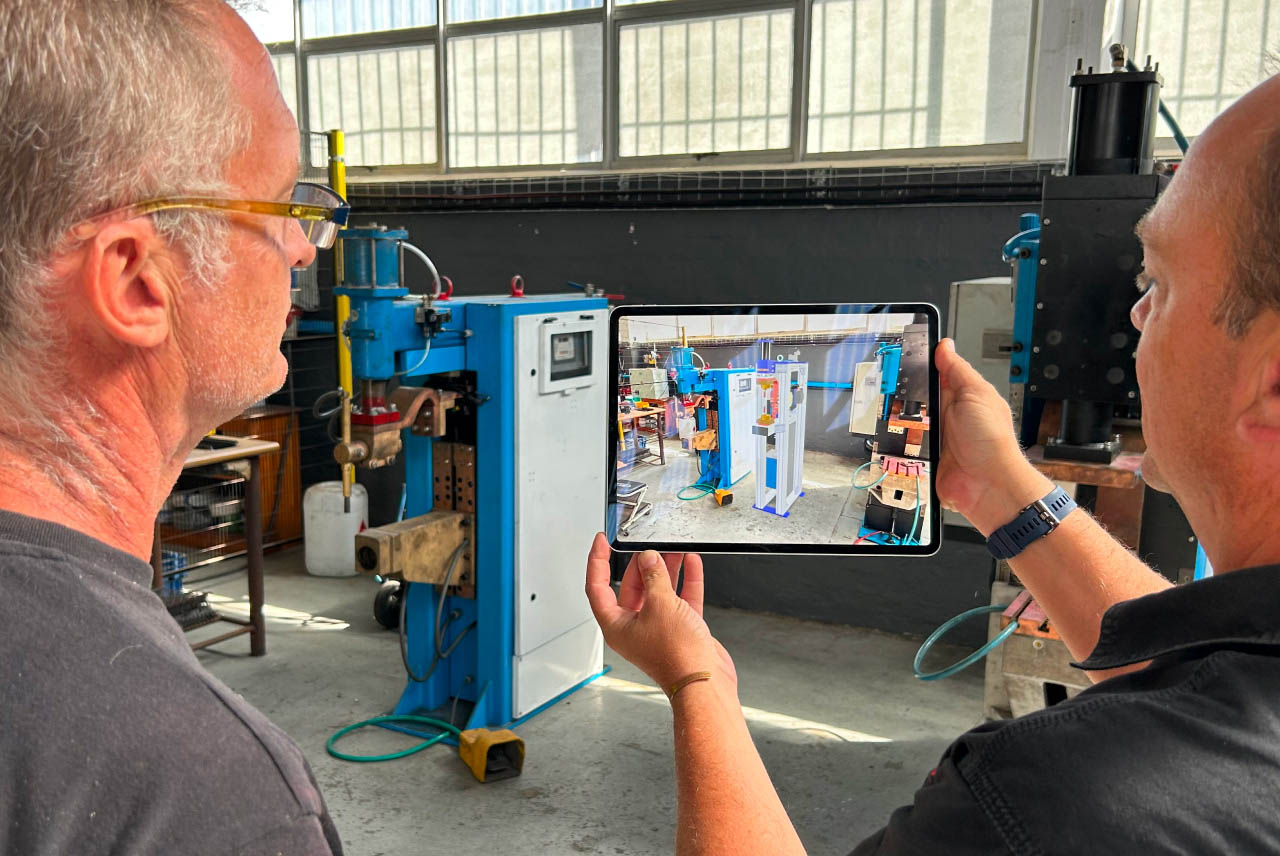
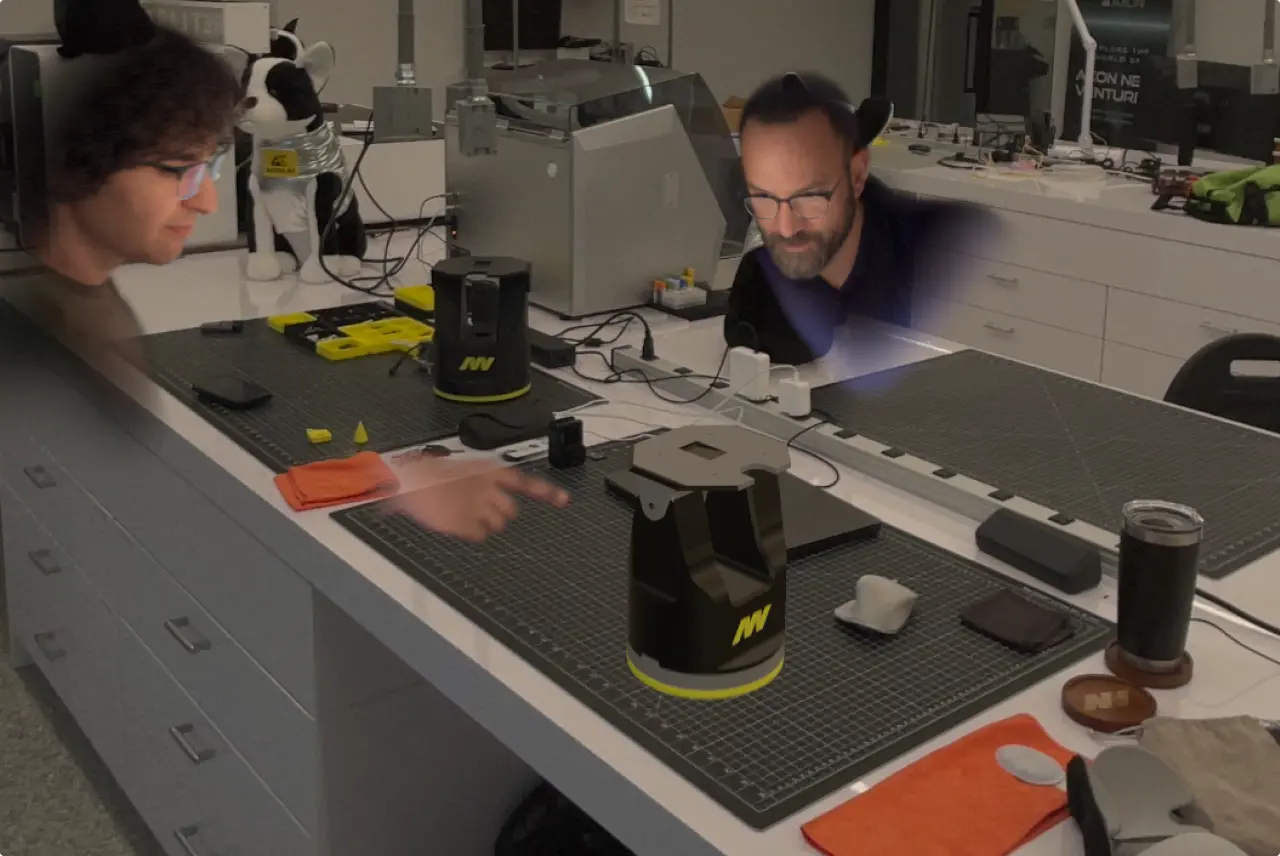
One way to improve communication here is with live augmented-reality (AR) reviews. AR allows teams to view digital prototypes, showing their 3D designs at scale with full detail and leaving little room for guesswork.
Bringing AR review into live meetings lets teams communicate even more clearly by collaborating in real time instead of through an email thread. Reviewers can ask for edits in the moment and see the results of their feedback immediately, instead of waiting days for a new file version to come through.
Production planning
Production planning often hits snags in the later stages, when layout clashes are found. AR reviews can help here, too.
Facilities managers, operators, and technicians can review equipment placement in the actual space during production line planning. This allows employees with shop floor expertise to spot clashes earlier and figure out tooling needs or accessibility issues without delaying production.
Version control and file access
Teams across the product lifecycle already struggle with sharing the latest version of a design with others.
When everyone uses the same, collaboration-friendly 3D CAD software, file access and version control become easier to manage. Instead of multiple versions stored in drives, teams can access a shared space to view the latest synced version of a design.
Unlike engineering CAD files, which other teams might not be able to open up, Shapr3D allows you to send review links that anyone in the organization can open. They can view the model in 3D, rotate it, and get a clear picture of the design in order to plan ahead for downstream production needs.
Fix communication with 3D access
Poor communication can seem like a minor inconvenience in the moment, but it actually costs your company time and money.
Fortunately, 3D tools help teams communicate more clearly across the product lifecycle. This, in turn, improves manufacturing efficiency and helps your business achieve the trifecta of higher speed, lower cost, and better quality.
For more on how accessible 3D CAD fits into the manufacturing process, check out our white paper with Tech-Clarity: “CAD across manufacturing operations: Improve speed, cost, and quality with 3D communication.”