
More precise. Faster.
Every tool in Shapr3D used to have its own logic. Some opened a multi-step flow, some didn't. Some remembered your settings, some made you set them fresh every time. Some parameters were only visible after edit, from the History. Not in the flow, as you model. That meant a learning curve for every new tool, and switching between quick geometry edits and precise parameter work meant switching your whole mindset too.
Parameter Cards fix that at the root: one consistent way to open a tool, see its options, and adjust them, on iPad and desktop alike. Learn it once, and it works everywhere.
Meet Parameter Cards
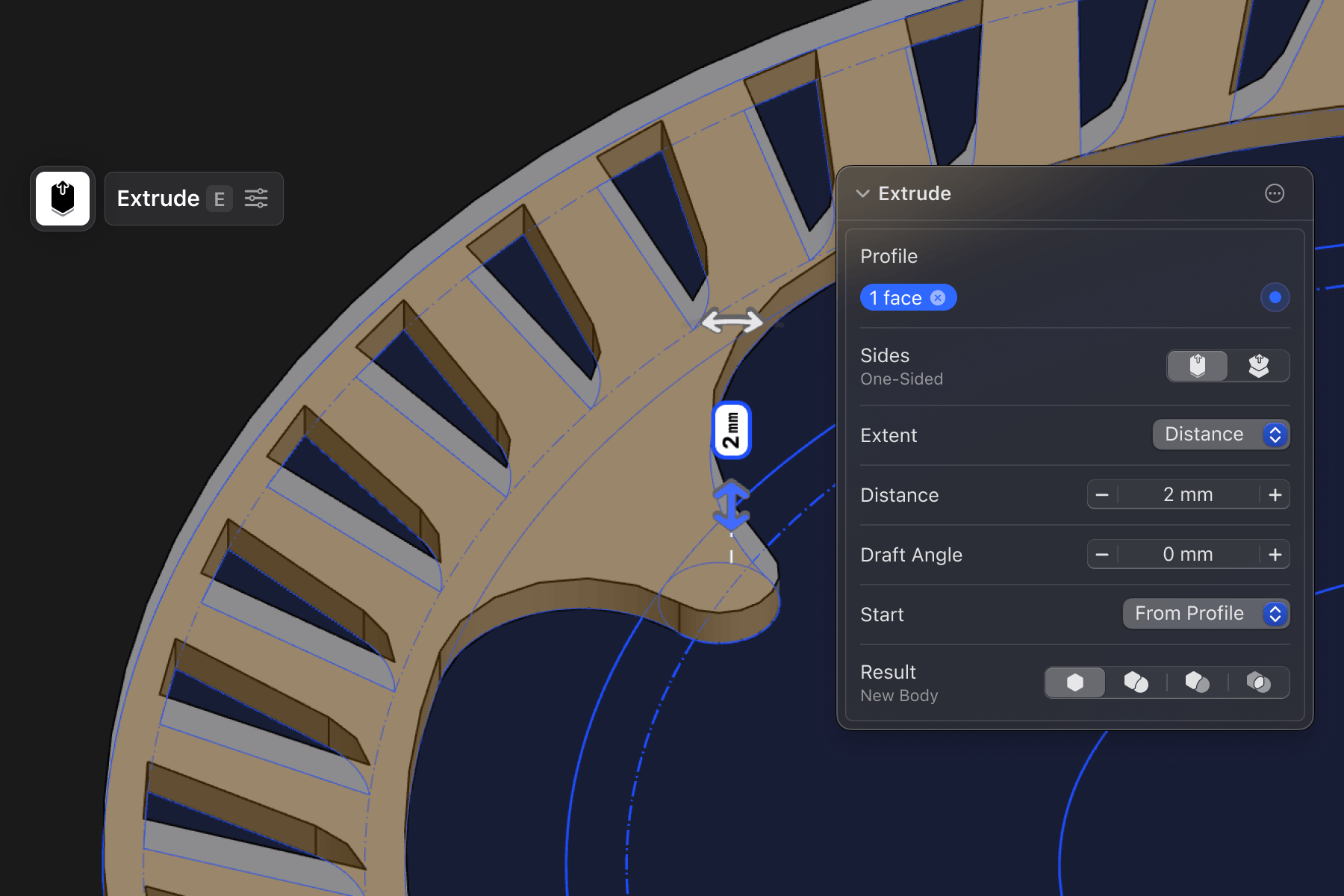
Activate a tool and you get the essential parameters as canvas controls automatically. Want more control? Click the tool icon again to open its card and get every parameter, right where you're working. No digging through the history sidebar. It all happens in one motion now.
Confirming and exiting a tool works the same everywhere: tap the empty canvas. That's it.
Every parameter gets saved to history. Jump back into a step from ten edits ago, and the same card, the same controls, are waiting.
Selection improvements
Tools now have clearer active states, so a new selection adds to what's already active. Fillet an edge and realize you missed one? Just add it while you're still in the tool. The card shows you everything you've selected, so you always know exactly what you're editing.
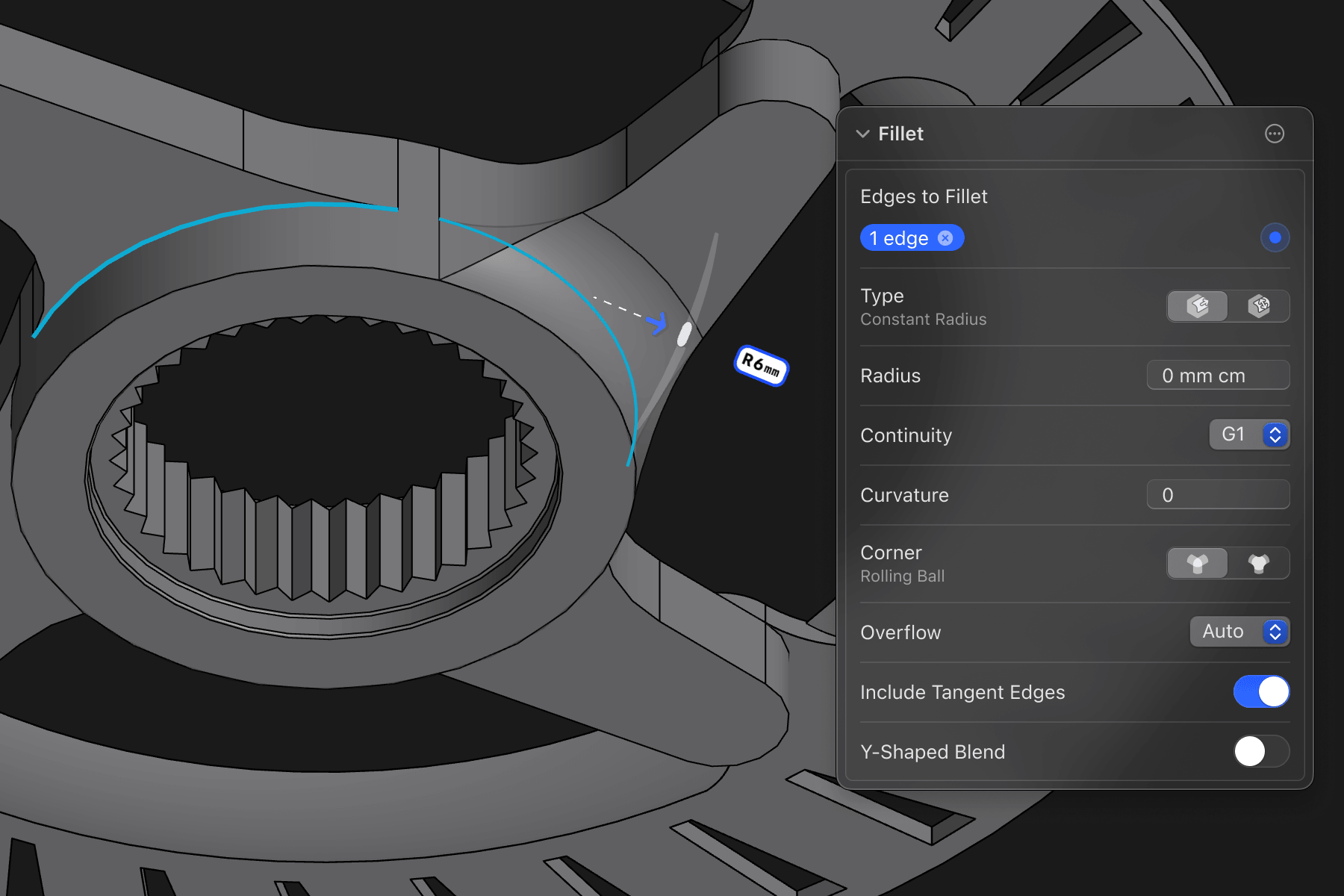
Customize placement
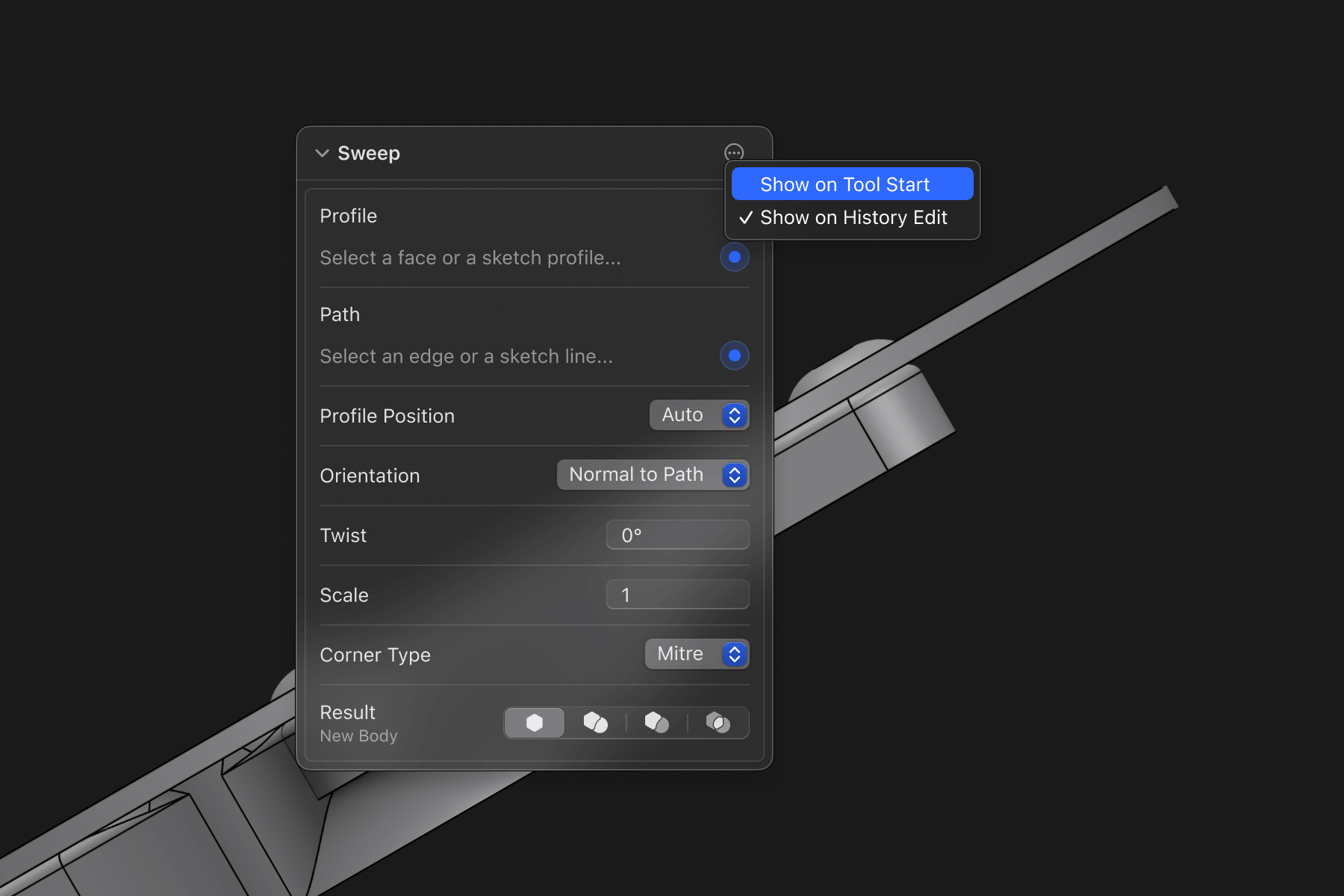
Cards open only when you ask. In the top right corner of the card, you can customize when you want the card to open the next time. Never automatically, on Tool Start, and/or on History Edit.
Once one's open, drag it wherever works for you. In the way on iPad? Hide it by dragging it out of the screen, and bring it back by dragging.
Additional improvements
Persisted settings. Tools remember your last choice. Type sticks on Offset Edge, Scale, Fillet, and Chamfer. Keep Originals sticks on Union, Split Body, and Mirror. Same for the keep/discard picks on Subtract and Intersect.
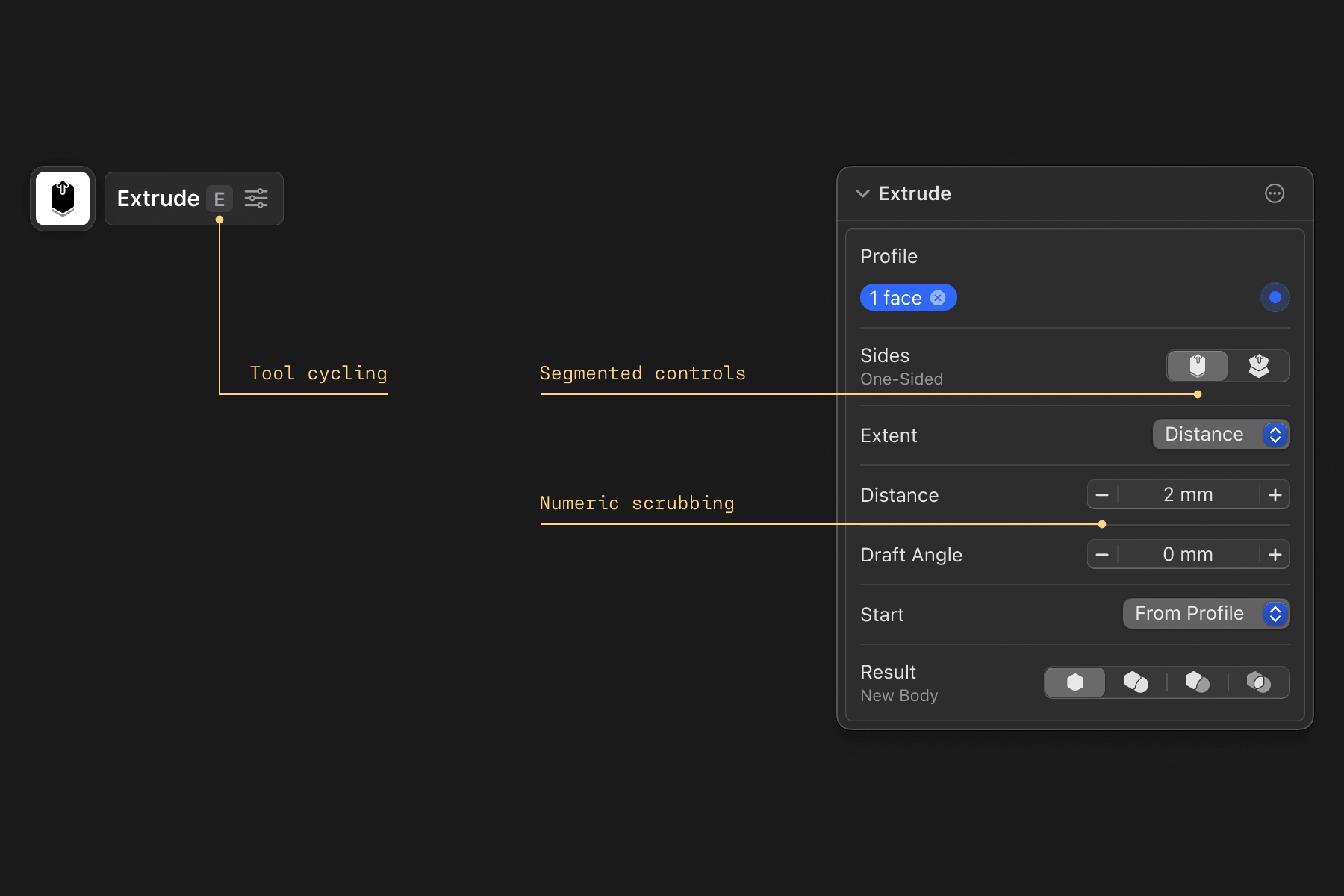
Tool cycling. Hit a tool's shortcut again while it's active and it cycles the options. E flips Extrude between Single-sided and Symmetric. F flips Fillet Type. Same trick in Chamfer and Offset Edge. (Custom shortcuts carry over.)
Segmented controls. Certain parameters became icon buttons you tap directly. Live in Extrude, Revolve, Fillet, Chamfer, Offset Edge, and Scale.
Numeric scrubbing. Grab any number field and drag to change the value, or tap the new +/− buttons.
A cleaner sidebar. Drawings moved under Project, top left. Visualization moved into the main menu. More room for your tools.
Note on Parameter Card release: More of you will get it each week as we roll it out, once we've confirmed it works well